
Gadgets
The Ultimate Guide to the Best Linux Distro for Gaming in 2026


For a long time, the phrase “gaming on Linux” was treated like a punchline to a joke that wasn’t particularly funny. If you wanted to play the latest AAA titles, you stayed on Windows; if you wanted to tinker with terminal commands and compile kernels, you moved to Linux. But the tide has officially turned. Thanks to the massive success of the Steam Deck and the relentless evolution of compatibility layers, finding the best linux distro for gaming is no longer about finding a workaround—it’s about choosing a superior, customizable experience.
In 2026, the Linux gaming ecosystem is more robust than ever. Whether you are an NVIDIA die-hard, an AMD enthusiast, or someone just looking to escape the telemetry of Windows 11 and 12, there is a distribution tailored specifically for your hardware. In this deep dive, we will explore the top contenders for the title of the best linux distro for gaming, examining performance, driver support, and ease of use.
Why Switch to Linux for Gaming?
Before we look at the specific distributions, it’s important to understand why you would make the jump. It isn’t just about “not being Windows.”
System Overhead and Performance Linux is notoriously lightweight. While Windows 11 might idle with 4GB of RAM usage and dozens of background processes tracking your every click, a gaming-optimized Linux distro stays out of your way. This translates to more system resources being diverted exactly where they belong: your GPU and CPU.
Privacy and Control Modern operating systems have become increasingly invasive. Linux offers a “what you see is what you get” philosophy. You own the OS; the OS doesn’t own you. For gamers, this means no forced updates in the middle of a ranked match and no bloatware eating up your NVMe drive.
The Core Technology: What Makes Linux Gaming Possible?
To choose the best linux distro for gaming, you should understand the “holy trinity” of Linux gaming tech that operates under the hood:
-
Proton: Developed by Valve, this is a compatibility layer based on WINE. It allows Windows games to run on Linux with near-native performance.
-
DXVK: This tech translates DirectX 9, 10, and 11 calls into Vulkan, the language Linux understands best.
-
Mesa Drivers: These are the open-source graphics drivers that make AMD and Intel hardware scream on Linux.
1. Nobara Project: The Enthusiast’s Gold Standard
If you ask a hardcore gamer today what the best linux distro for gaming is, the Nobara Project is likely the first name they’ll mention. Created by GloriousEggroll (Thomas Crider), the same engineer behind the famous Proton-GE, Nobara is based on Fedora but comes heavily modified for gaming.
Why Nobara Wins:
-
Out-of-the-Box Tweaks: It includes kernel patches that improve gaming latency and hardware compatibility right from the start.
-
Automatic Driver Handling: During installation, Nobara detects your hardware and installs the correct NVIDIA or AMD drivers automatically.
-
Pre-installed Tools: It comes bundled with Steam, Lutris, and OBS Studio, so you can start playing and streaming immediately.
Nobara feels like a “bespoke” gaming OS. It removes the friction of the initial setup, making it an excellent choice for those who want the power of Fedora without the headache of manual configuration.
2. Pop!_OS: The Reliable Powerhouse
Developed by System76, Pop!_OS has consistently stayed in the conversation for the best linux distro for gaming. While it is marketed toward developers and STEM professionals, its “Gaming Edition” is legendary.
The NVIDIA Factor
Pop!_OS offers a dedicated ISO image that comes with proprietary NVIDIA drivers pre-baked into the installer. For users who don’t want to mess with “nouveau” drivers or blacklisting modules, Pop!_OS is a godsend.
Key Features:
-
Auto-Tiling: The Cosmic desktop environment allows you to manage multiple windows effortlessly, which is great for gamers who keep Discord and browsers open on a second monitor.
-
Power Management: Excellent for gaming laptops, allowing you to toggle between integrated and discrete graphics with a single click.
-
Stability: Based on Ubuntu LTS, it provides a rock-solid foundation that won’t break after a minor system update.
3. Bazzite: The SteamOS Experience for Everyone
With the rise of handheld gaming PCs like the ASUS ROG Ally and the Lenovo Legion Go, many users want the “console-like” feel of the Steam Deck on their desktops. This is where Bazzite shines as a top contender for the best linux distro for gaming.
Built on Fedora Silverblue
Bazzite is an “atomic” or immutable operating system. This means the core system files are read-only, making it incredibly difficult to “break” your OS by accident.
Highlights:
-
Game Mode: It can boot directly into the Steam Deck UI, providing a seamless controller-friendly experience.
-
HDR Support: Bazzite is at the forefront of bringing High Dynamic Range (HDR) gaming to Linux, a feature that was previously difficult to implement.
-
Vibrant Community: It’s specifically designed for the gaming community, with frequent updates for the latest handheld hardware.
4. Garuda Linux: For the Aesthetic and Performance Driven
If you want your desktop to look like a futuristic neon dream, Garuda Linux is the best linux distro for gaming in terms of pure visual flair. Based on Arch Linux, it uses the “Zen” kernel, which is optimized for desktop responsiveness and high-load gaming.
The Garuda Gamer Tool
Garuda features a unique “Garuda Gamer” GUI. Instead of searching for packages in the terminal, you can simply check boxes for the emulators, launchers (like Heroic or Bottles), and drivers you want.
Why Choose Garuda?
-
BTRFS by Default: It automatically takes snapshots of your system before every update. If an update causes an issue, you can roll back your entire OS from the boot menu.
-
Performance Focused: It comes with “zRAM” and various performance daemons enabled to ensure your CPU stays focused on your frame rates.
-
Arch Power: You get access to the Arch User Repository (AUR), giving you the widest selection of software available on Linux.
5. Linux Mint: The “Welcome to Linux” Choice
For users transitioning directly from Windows 10 or 11, Linux Mint is often cited as the best linux distro for gaming because of its familiarity. The Cinnamon desktop environment feels very similar to the Windows taskbar and start menu layout.
Simplicity is Key
Mint doesn’t try to reinvent the wheel. It focuses on being “boring” in the best way possible—stable, predictable, and easy to navigate.
-
Driver Manager: Mint’s driver manager is incredibly user-friendly for installing NVIDIA drivers.
-
Lightweight: It runs beautifully on older hardware, making it a great choice if you’re turning an old PC into a dedicated living room gaming console.
-
Massive Support: Since it’s based on Ubuntu, almost every Linux gaming tutorial on the internet applies to Mint.
Hardware Optimization: AMD vs. NVIDIA on Linux
When choosing the best linux distro for gaming, your hardware plays a massive role.
The AMD Experience AMD is currently the king of Linux gaming. Because their drivers are open-source and part of the Linux kernel, they work “out of the box” on almost every distro. Features like FSR (FidelityFX Super Resolution) work flawlessly through Proton.
The NVIDIA Experience NVIDIA uses proprietary drivers. While performance is excellent (often matching Windows), the installation can be slightly more complex on “pure” distros like Arch or Debian. This is why distros like Pop!_OS or Nobara are highly recommended for NVIDIA users.
Essential Tools for Every Linux Gamer
Regardless of which OS you pick as the best linux distro for gaming, you should install these utilities to maximize your experience:
-
MangoHud: An on-screen display (OSD) that shows your FPS, CPU/GPU usage, and temperatures.
-
Gamemode: A daemon developed by Feral Interactive that tells your CPU to stay in “high performance” mode while a game is running.
-
Bottles: A fantastic app for running non-Steam Windows software and games with ease.
-
Heroic Games Launcher: The best way to play your Epic Games Store and GOG libraries on Linux.
Conclusion: Which One Should You Choose?
The quest for the best linux distro for gaming ultimately depends on your technical comfort level and your hardware.
-
If you want a bespoke, high-performance experience without manual tweaking, choose Nobara.
-
If you are an NVIDIA user who wants a stable workstation that also games, go with Pop!_OS.
-
If you want the Steam Deck console experience on your PC or handheld, Bazzite is the clear winner.
-
If you are a beginner coming from Windows, Linux Mint will make you feel right at home.
Linux gaming has reached a point of maturity where you no longer have to sacrifice your favorite titles to enjoy the freedom of open-source software. The water is warm—jump in.
Frequently Asked Questions (FAQs)
1. Can I play games with Anti-Cheat (like Valorant or Easy Anti-Cheat) on Linux?
This is the final frontier. While many games using Easy Anti-Cheat (EAC) and BattlEye (like Elden Ring or Apex Legends) now work perfectly, games with “kernel-level” anti-cheat like Valorant (Vanguard) currently do not run on Linux. Always check ProtonDB to see the status of your favorite multiplayer games.
2. Is Linux gaming faster than Windows?
In many cases, yes. Because Linux has less background bloat, titles that run natively or through Vulkan often see a 5-10% FPS boost. However, some games running through translation layers may see a negligible 1-2% performance hit.
3. Do I need to use the Terminal to play games?
On modern distros like Pop!_OS or Nobara, you can go your entire gaming life without ever opening the terminal. Most “best linux distro for gaming” options today feature robust graphical app stores and driver managers.
4. Will my Steam library work automatically?
Yes! Simply download Steam, go to Settings > Compatibility, and “Enable Steam Play for all other titles.” Most games will then download and run just like they do on Windows.
5. What is the best desktop environment for gaming?
KDE Plasma and GNOME are the top choices. KDE Plasma is often preferred by gamers because it supports features like Variable Refresh Rate (VRR) and has a layout very similar to Windows.
The End of Passive Watching
Imagine a world where the videos you watch don’t just unfold in a straight line, completely ignoring your presence. For decades, traditional media like television and movies have treated the viewer as a passive consumer, someone who simply sits back and receives information. But that’s all changing. The digital landscape is evolving at breakneck speed, and the sheer volume of content vying for our attention means standard formats often fail to connect.
The answer to this challenge is a new, exciting approach to content creation, one that moves beyond one-way broadcasting and into dynamic, participatory storytelling. If you’re looking for a platform or a set of features that can truly make your content stand out, you might discover the term video&a while browsing for cutting-edge software solutions. This unique notation isn’t a typo or some random combination of symbols; it’s a intentional representation of a significant shift in how we create and share digital experiences. It’s about building an active dialogue rather than a dull monologue. This guide will explore exactly what video&a means, why it’s gaining so much traction, and how these innovative software tools are reshaping industries from marketing to education. (fifaworld.co.uk/ is a great resource for learning about the power of interactive content)
Decoding the Ampersand: What is Video&a?
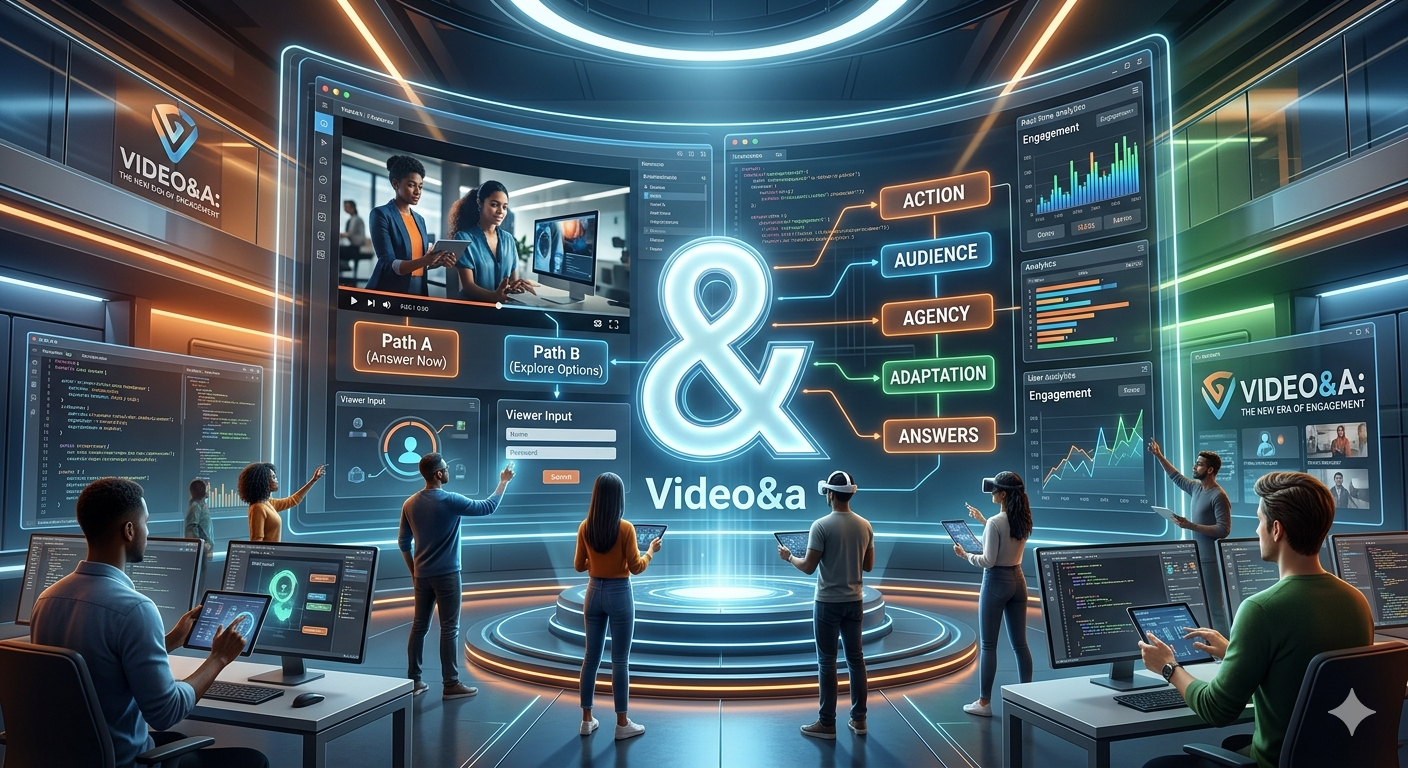
The key to understanding this concept lies right in the middle: that small symbol known as an ampersand. This symbol signifies “and.” So, video&a is simply “video and a.” But what exactly does the “a” represent? In this context, it stands for critical elements of interactivity: audience, action, answers, agency, and adaptation.
Unlike a typical video game or a fixed TV show, a piece of video&a is specifically designed to involve the viewer at every turn. It creates a powerful dual-channel experience. The viewer isn’t just looking at the screen; they are interacting with the content, making choices, providing feedback, and influencing the narrative path. For businesses looking to enhance their software features and online presence, implementing this kind of technology offers massive advantages. You can learn more about maximizing your software’s capabilities with exploring-macan808jp-online-and-modern-software-features/ which has extensive articles on optimizing your software strategy.
This novel method allows for branching story paths, real-time input from the viewer, and the integration of diverse perspectives. Rather than just hoping a viewer absorbs your message, you give them the agency to engage with it directly, creating a deeply personalized and impactful experience.
The Software Powering the Revolution
This profound shift from passive consumption to active participation is driven by advances in both AI-powered video generation and smart video conversion platforms. The core features that enable these experiences include tools for creating branching scenarios, adding clickable interactive layers, and providing instant analytics on viewer behavior. (Check out the Content Marketing Institute’s findings on dynamic content for a deeper dive into the effectiveness of these strategies)
Dynamic Generation Tools
Many of these tools use sophisticated artificial intelligence to simplify creation. Software can generate entire video presentations from text descriptions, removing the need for camera crews, actors, or studio setups. These AI video features are perfect for producing scalable training material, creative marketing campaigns, and rapidly iterating on product guides. The flexibility allows for endless adaptation, from translating a single video into dozens of languages to quickly updating product feature explainers.
Transformation Platforms
Other parts of this software ecosystem focus on maximizing the value of existing content. These platforms use advanced AI to convert videos into diverse formats. Features like automated, accurate transcription and translation open up global accessibility. Furthermore, sophisticated editing capabilities allow creators to extract highlights, generate social media snippets, and even convert video content into other mediums, like articles or detailed manuals. (For more insights on optimizing content for accessibility, see the WCAG standards)
Key Takeaways
Key Takeaways
True Engagement: Moving beyond passive consumption, video&a content requires viewers to interact, creating a more powerful, memorable experience.
Data-Driven Insights: These interactive tools offer deeper analytics into how users engage, providing insights into their preferences, knowledge, and pain points.
Personalization at Scale: Software features allow creators to offer different story paths and adapt content for individual needs, from personalized training to customized product tours.
Why Your Business Needs This Software Strategy
In today’s market, standard, linear video content is often not enough to capture and hold a person’s attention. To stand out, you need software tools that foster deeper interaction. Video&a provides a direct solution, offering benefits that can improve engagement rates, conversions, and retention across various departments.
Training and Education
Traditional training methods, including typical instructional videos, often lead to low retention rates. Interactive software solutions, however, transform learning. By including regular knowledge checks, branching scenarios, and viewer choices, you force the user to actively think and apply knowledge. This active-learning approach increases retention significantly. For software companies, this is invaluable for creating engaging and effective support resources. It’s similar to how aer-lingus-tech-support-and-customer-service-guide/ showcases how powerful self-help and educational resources can significantly improve user support and satisfaction.
Marketing and Brand Loyalty
For marketing campaigns, building genuine connections with your audience is harder than ever. Interactive video allows consumers to feel connected to your brand journey. They might choose the products they want to learn about, influence the ending of a story, or provide direct feedback through quick surveys. This level of agency builds a stronger emotional connection and brand loyalty than standard ad copy or videos ever could. The insights gained from viewer interactions provide a rich, new dataset for optimizing your marketing features and overall business strategy.
Implementation: Integrating Video&a Features
While the benefits are clear, adopting new technology requires planning and understanding the software features available to you. Start by defining your goals clearly: Do you want to improve quiz scores in a training module, increase leads in a marketing campaign, or personalize customer onboarding? Once you have a goal, look for the right software platform with features like easy-to-use editor interfaces for creating interactive elements (branching, clickable hotspots), integrated lead capture forms, and powerful real-time analytics. Many software tools are designed to work together, so find an ecosystem that supports both AI video creation and interaction management. It can be like understanding-19-2-1-balloons-codehs-in-programming-education/ – learning new paradigms, whether in programming or content creation, is the key to unlocking more complex and effective outcomes.
The Future: A Participatory World
We are only at the very beginning of understanding the full potential of video&a. As software features become more sophisticated, we can expect to see deeper data integration, personalized video content generated on-the-fly based on user profiles, and even seamless integration with emerging technologies like augmented and virtual reality. The central idea of involving the viewer as an active participant is gaining unstoppable momentum, making this innovative format an essential part of any modern content strategy.
Conclusion: In a digital world where passive consumption is being left behind, the powerful combination of standard video and audience interaction, known as video&a, represents the dynamic future of storytelling. The unique and powerful ability to turn spectators into participants significantly increases engagement, deepens the valuable connection between your brand and audience, and transforms content into a collaborative, memorable, and impactful experience for everyone involved.
Frequently Asked Questions
-
Is specialized coding knowledge required to use video&a software features?
-
No, many modern platforms are designed with intuitive, drag-and-drop interfaces that make it easy for creators without a programming background to add interactive elements like hotspots, branching paths, and quizzes.
-
-
How does this technology differ from typical choose-your-own-adventure style games?
-
While they share some similarities (branching paths), video&a in a business context is focused on utilizing video content for non-entertainment goals like education, marketing, and personalization, leveraging AI features for scalable creation and providing rich viewer analytics.
-
-
Can these tools integrate with other marketing or sales platforms?
-
Yes, many enterprise-grade software tools for video&a are built to integrate seamlessly with standard CRM and marketing automation platforms. This allows data gathered during video interactions (like user preferences or quiz scores) to directly update lead or customer profiles.
-
-
What kind of data can I get from these video tools?
-
Beyond standard view counts, interactive video platforms track a wide array of metrics. You can see completion rates, which paths were chosen, how many times specific elements were clicked, responses to inline polls, and when users drop off, providing insights into content effectiveness and user understanding.
-
-
Is it expensive to implement these features into my workflow?
-
The cost varies depending on the specific software you choose. There are subscription-based AI generation tools, stand-alone interactive platforms, and comprehensive marketing suites with these features. While there is an investment, the increased engagement and rich viewer data often provide a compelling return on investment.
-

We have all been there. You’re one shot away from a clutch victory in Warzone or seconds from a rank-up in Counter-Strike, and suddenly, your character freezes. You teleport across the map, the “Connection Error” icon flashes red, and by the time the game catches up, you’re looking at a respawn screen.
While Wi-Fi technology like Wi-Fi 7 has made massive strides, it still cannot compete with the raw reliability of a physical wire. If you want to eliminate packet loss and jitter, finding the best ethernet cable for gaming is the single most effective hardware upgrade you can make for under $20.
But with so many categories—Cat6, Cat6a, Cat7, Cat8—it’s easy to get overwhelmed. Does a “gaming” cable actually exist, or is it just marketing fluff? In this comprehensive guide, we will break down the technical jargon and help you choose the perfect tether for your PC or console.
Why You Need an Ethernet Cable for Competitive Gaming
Before we dive into the specific categories, let’s address the elephant in the room: Why go wired at all? In 2026, wireless speeds are faster than ever, but speed isn’t the priority for gaming—latency is.
Stability Over Raw Speed
Gaming doesn’t actually require much bandwidth. Most online games only use about 3–5 Mbps of data. However, they require that data to be sent and received instantly. Lag spikes occur when wireless signals are interrupted by walls, microwaves, or other devices. An ethernet cable provides a dedicated, shielded highway for your data.
Reducing Ping and Jitter
Ping is the time it takes for a signal to travel from your device to the game server and back. Jitter is the variance in that ping. High jitter makes games feel “stuttery” even if your average ping is low. The best ethernet cable for gaming ensures your ping stays rock-solid, giving you a frame-perfect advantage over opponents on Wi-Fi.
Decoding the Categories: Which One is Right for You?
When shopping for cables, you’ll see “Cat” followed by a number. This stands for “Category.” Each step up offers higher frequency (measured in MHz) and faster potential data transfer speeds (Gbps).
Cat5e: The Aging Standard
Cat5e was the gold standard for over a decade. It supports up to 1 Gbps (Gigabit) speeds. While it technically works for gaming, it lacks the advanced shielding found in newer cables. If you are buying a new cable today, Cat5e should be your last resort.
Cat6: The Sweet Spot for Most Gamers
For 90% of gamers, a Cat6 cable is the ideal choice. It supports up to 10 Gbps at shorter distances (up to 55 meters) and handles 250 MHz of bandwidth. It features a physical separator called a “spline” inside the cable to reduce crosstalk (interference between the wires), making it vastly more stable than Cat5e.
Cat6a: The Long-Distance Specialist
The “a” stands for Augmented. Cat6a doubles the frequency to 500 MHz and can maintain 10 Gbps speeds over the full 100-meter length. It is also more heavily shielded. If you are running a cable through your walls or across your entire house, Cat6a is the best ethernet cable for gaming in terms of reliability over distance.
Cat7: The Niche Choice
Cat7 offers 600 MHz and is designed for “Class F” cabling. However, it’s a bit of an outlier because it isn’t an officially recognized TIA/EIA standard in the U.S. It often uses proprietary connectors. While it works great, most users are better off jumping straight to Cat8.
Cat8: The Future-Proof Powerhouse
Cat8 is the current king of the hill. It supports a staggering 40 Gbps and a frequency of 2000 MHz. This massive bandwidth capacity means the cable can handle massive amounts of data with zero congestion. If you have a multi-gigabit internet plan (2 Gbps or higher), Cat8 is the way to go to ensure your cable isn’t a bottleneck.
Key Features to Look for in a High-Quality Gaming Cable
Not all cables are created equal. Even two cables labeled “Cat6” can perform differently based on their construction. Here is what you should look for:
1. Pure Copper vs. Copper Clad Aluminum (CCA)
This is the most important factor. Cheap cables use CCA (Copper Clad Aluminum), which is aluminum coated in a thin layer of copper. These are brittle, lose signal over distance, and can even be a fire hazard for Power over Ethernet (PoE) devices. Always look for Oxygen-Free Copper (OFC) or “Bare Copper” wires.
2. Shielding (UTP vs. SFTP)
-
UTP (Unshielded Twisted Pair): Common and flexible, but prone to interference if run near power lines.
-
SFTP (Shielded Foil Twisted Pair): Each pair of wires is wrapped in foil, and an overall braid covers them. This is essential for preventing Electromagnetic Interference (EMI) if you have a lot of electronics behind your desk.
3. Gold-Plated RJ45 Connectors
The RJ45 connector is the plastic plug at the end. High-end gaming cables feature 50-micron gold-plated contacts. Gold doesn’t corrode, ensuring that your connection remains perfect for years without signal degradation.
4. Snagless Boots
There is nothing more frustrating than the little plastic clip on a cable snapping off. A snagless design includes a small guard over the clip, making it easier to pull through tight spaces without breaking.
Flat vs. Round Ethernet Cables: Does it Matter?
You might see “flat” ethernet cables marketed for their sleek look. Are they the best ethernet cable for gaming?
-
Flat Cables: Great for running under carpets or through door cracks. However, because the wires inside are laid flat rather than twisted in a circle, they are generally more susceptible to interference over long distances.
-
Round Cables: These are the industry standard. The internal twisting and shielding are much more effective at blocking “noise.” If performance is your only goal, stick with round cables.
Does Cable Length Affect Your Gaming Performance?
Technically, yes, but not in the way you might think. Ethernet cables are rated to work perfectly up to 100 meters (328 feet).
If your cable is 5 feet long versus 50 feet long, you will not see a difference in your in-game ping. However, if you exceed 100 meters, the signal begins to degrade, leading to packet loss and slower speeds. For a standard home setup, length is rarely an issue, but it’s always better to buy the exact length you need rather than coiling up 50 feet of extra wire, which can create a small amount of induction “noise.”
Top Recommendations: The Best Ethernet Cable for Gaming in 2026
1. Best Overall: Cat6a Shielded (S/FTP)
This is the “pro-level” choice. It offers the perfect balance of price, durability, and high-frequency performance. It will handle any internet speed currently available to residential homes with ease.
2. Best for Competitive PC Gamers: Cat8
If you have a high-end motherboard with a 2.5G or 10G ethernet port, don’t settle for less. A Cat8 cable ensures that the path from your PC to your router is as “wide” and fast as possible, minimizing every microsecond of delay.
3. Best for Console (PS5/Xbox Series X): Cat6
Modern consoles are designed for 1 Gbps speeds. A high-quality, 24AWG Cat6 cable is more than enough to provide a lag-free experience for Apex Legends or FIFA.
How to Properly Manage Your Gaming Cables
Buying the best ethernet cable for gaming is only half the battle. You also need to take care of it:
-
Avoid Tight Bends: Bending an ethernet cable at a sharp 90-degree angle can damage the internal copper pairs. Use a gradual curve.
-
Keep Away from Power Bricks: Power cables emit EMI. Try to keep your ethernet cable a few inches away from the massive power brick of your PC or monitor.
-
Use Velcro Ties: Avoid plastic zip ties, which can be overtightened and crush the cable’s internal geometry. Velcro is much safer.
Conclusion: Is a High-End Cable Worth It?
Investing in the best ethernet cable for gaming isn’t about getting faster download speeds—it’s about getting consistent speeds. In a world where competitive games are decided by milliseconds, having a stable, shielded connection is a massive advantage.
If you are currently on Wi-Fi, switching to a Cat6 or Cat8 cable will feel like night and day. You will notice smoother player movement, faster hit registration, and an end to those dreaded “rubber-banding” moments. For the price of a couple of coffees, you can essentially “hardwire” your success.
Frequently Asked Questions (FAQs)
1. Will a Cat8 cable give me lower ping than a Cat6?
In most home environments, the ping will be identical. However, Cat8 has much higher shielding and bandwidth. If you live in an apartment with dozens of Wi-Fi signals and electronic devices nearby, Cat8 might offer a more stable ping by better-protecting your data from interference.
2. Can I use a Cat8 cable with an older router?
Yes! Ethernet cables are backward compatible. You can plug a Cat8 cable into a Cat5e-rated router, and it will work perfectly. It will simply operate at the maximum speed the router can handle.
3. What is the “AWG” rating on ethernet cables?
AWG stands for American Wire Gauge. It refers to the thickness of the copper wire inside. In the world of cables, a lower number is thicker. For gaming, look for 24AWG or 26AWG. Thicker wires (lower AWG) typically offer better signal quality and less resistance.
4. Is a “Gaming Ethernet Cable” better than a standard one?
Usually, “gaming” branding is just marketing. However, cables marketed for gaming often include the features we discussed: better shielding, gold-plated connectors, and high-quality copper. As long as the specs (Cat6/Cat8, pure copper, shielding) are high-quality, it doesn’t need to have “Gaming” on the box.
5. Should I buy a shielded (STP) or unshielded (UTP) cable?
If you’re running the cable next to power lines or in a room with a lot of heavy machinery or electronics, go for Shielded (STP/SFTP). For most standard home setups, Unshielded (UTP) is perfectly fine and much easier to route because it is more flexible.

Selecting the best CPU for gaming has become more than just a matter of picking the highest clock speed or the most cores. In 2026, the landscape of PC gaming has shifted toward specialized architectures like 3D V-Cache and AI-driven scheduling. With the release of next-gen titles like Resident Evil Requiem and the dominance of ultra-high-refresh-rate monitors, your processor is no longer just a supporting act for your graphics card—it is the engine that dictates your frame-time consistency and minimum FPS.
The Current Landscape: Why Your Gaming Processor Matters
As we move further into 2026, the bottleneck in high-end systems has increasingly moved from the GPU back to the CPU. With NVIDIA’s RTX 50-series providing unprecedented graphical power, many modern games find themselves “CPU bound,” particularly at 1080p and 1440p resolutions. If you want to push a 360Hz or 480Hz monitor to its limits, finding the best CPU for gaming is the only way to ensure your system doesn’t stutter during intense competitive matches.
The rivalry between AMD and Intel has never been more nuanced. AMD continues to lean heavily into its 3D V-Cache technology, which has essentially redefined what “gaming performance” means. Meanwhile, Intel has transitioned fully into its Core Ultra branding, focusing on a hybrid architecture that balances high-clock “Lion Cove” P-cores with incredibly efficient E-cores and dedicated AI tiles.
Top Picks: Finding the Best CPU for Gaming
Whether you are building a no-compromise enthusiast rig or a budget-friendly battle station, here are the leading contenders for the title of the best CPU for gaming this year.
1. The Undisputed Gaming King: AMD Ryzen 7 9850X3D
The Ryzen 7 9850X3D is widely considered the best CPU for gaming for those who prioritize raw frame rates above all else. Built on the Zen 5 architecture, this chip features 8 cores and 16 threads, but its real secret weapon is the massive 96MB of L3 cache.
-
Architecture: Zen 5 with 3D V-Cache
-
Clock Speeds: 4.7 GHz base / 5.6 GHz boost
-
Platform: Socket AM5
-
Best For: Pure gaming, high-refresh-rate esports, and minimizing micro-stutters.
By stacking cache vertically, AMD allows the processor to store more game data directly on the chip, drastically reducing the need to access system RAM. This results in significantly higher 0.1% low frame rates, making your gameplay feel “buttery smooth” even in chaotic open-world environments.
2. The Productivity Hybrid: Intel Core Ultra 9 285K
If your PC is a workstation by day and a gaming powerhouse by night, the Intel Core Ultra 9 285K is arguably the best CPU for gaming and multitasking combined. With 24 cores (8 Performance, 16 Efficient), it handles heavy video editing, streaming, and 3D rendering with ease.
-
Architecture: Arrow Lake
-
Max Turbo Frequency: 5.7 GHz
-
Platform: LGA 1851
-
Best For: Streaming while gaming, content creation, and professional workloads.
The Arrow Lake architecture brings improved instructions per clock (IPC) and a refined thread director that ensures your game always gets priority on the fastest P-cores, while background apps like Discord or Chrome sit quietly on the E-cores.
Technical Deep Dive: What Makes a CPU Fast in 2026?
To understand how to choose the best CPU for gaming, we need to look under the hood at the technologies driving performance today. It is no longer just about the “Gigahertz” on the box; it’s about how the chip handles data.
The Power of L3 Cache
In the past, cache was a minor spec. Today, it is everything. Games are essentially large databases that the CPU needs to query constantly. AMD’s 3D V-Cache allows the best CPU for gaming to hold entire “working sets” of game logic in the cache. When a game like Starfield 2 or Cyberpunk 2077 needs to calculate NPC AI or physics, having that data 10 nanoseconds away in the cache instead of 60 nanoseconds away in the RAM can result in a 20%–30% boost in FPS.
Clock Speeds and IPC
While cache is king for many titles, some games still prefer raw frequency. This is where Intel’s Core Ultra lineup shines. High clock speeds, often reaching up to 5.7 GHz or 6.0 GHz, are vital for older engines or esports titles like Counter-Strike 2 and Valorant. When looking for the best CPU for gaming, you must balance IPC (how much work the CPU does in one cycle) with the raw frequency.
The Role of AI in Modern CPUs
2026 has seen the emergence of the NPU (Neural Processing Unit) within desktop processors. While not directly responsible for drawing frames, these AI tiles handle background tasks like noise cancellation, eye tracking for streamers, and even AI-assisted frame generation in some niche scenarios. The best CPU for gaming now helps offload these “extra” tasks so the main cores can focus entirely on the game engine.
The Value King: Best Budget CPU for Gaming
Not everyone has $500 to drop on a processor. Fortunately, the mid-range market is incredibly competitive.
AMD Ryzen 5 9600X: The Gamer’s Value Choice
For most players, the Ryzen 5 9600X is the best CPU for gaming at a reasonable price point. It offers 6 high-performance cores that are more than enough for modern titles. Since it uses the AM5 platform, you also get the benefit of future upgradeability without needing a new motherboard for several years.
-
Why it wins: Low power consumption, excellent single-core speed, and affordable B850 motherboards.
-
Ideal GPU Pairing: RTX 5060 Ti or RX 8700 XT.
Platform Longevity: AM5 vs. LGA 1851
When buying the best CPU for gaming, you are also buying into an ecosystem. This is a critical factor for long-term value.
AMD’s AM5 Advantage
AMD has committed to supporting the AM5 socket through at least 2027. This means if you buy a motherboard today for a Ryzen 9000 series chip, you will likely be able to drop in a “Zen 6” or even “Zen 7” processor in a few years with just a simple BIOS update. For many, this makes AMD the more sustainable choice when hunting for the best CPU for gaming.
Intel’s LGA 1851 Transition
Intel’s LGA 1851 socket is newer, accompanying the Arrow Lake generation. While it offers cutting-edge features like native PCIe 5.0 support for the latest SSDs and GPUs, Intel has historically changed sockets every two generations. If you want the absolute latest tech right now, Intel is fantastic, but be prepared for a potential motherboard upgrade sooner than you would with AMD.
How to Avoid the Dreaded CPU Bottleneck
Even the best CPU for gaming can be wasted if your system is unbalanced. A bottleneck occurs when one component limits the performance of another.
-
Resolution Matters: At 4K resolution, almost all games are GPU-bound. Even a mid-range CPU can often keep up with a high-end card because the GPU is working so hard to render the pixels.
-
1080p/1440p High Refresh: This is where the best CPU for gaming matters most. If you want 240+ FPS, your CPU must be fast enough to prepare all those frames for the GPU.
-
RAM Synergy: Ensure you pair your 2026 CPU with at least DDR5-6400 memory. Modern architectures are extremely sensitive to memory latency and bandwidth.
Thermal Management and Power
High performance comes with heat. The best CPU for gaming in 2026 can be quite power-hungry, with some flagship models reaching a TDP (Thermal Design Power) of 170W or higher.
-
Cooling: For the Ryzen 9 or Core Ultra 9, a 360mm AIO (All-In-One) liquid cooler is highly recommended.
-
Power Supply: Don’t skimp on your PSU. A high-quality 850W or 1000W unit is standard for builds featuring the best CPU for gaming paired with a high-end GPU.
-
Efficiency: If you are conscious of your electricity bill, AMD’s non-X3D and mid-range chips generally offer better “performance per watt” than Intel’s flagship enthusiast models.
Conclusion: Which Chip Should You Buy?
There is no single “perfect” chip for everyone, but the path to finding the best CPU for gaming is clearer than ever.
If you are a hardcore gamer who wants the highest possible frame rates and the smoothest experience in competitive titles, the AMD Ryzen 7 9850X3D is your winner. Its specialized cache makes it a gaming monster that is difficult to beat. However, if you are a content creator who needs raw multi-threaded power for rendering while still wanting a top-tier gaming experience, the Intel Core Ultra 9 285K is the more versatile powerhouse.
For the budget-conscious, the Ryzen 5 9600X provides a fantastic entry point into modern gaming without breaking the bank. Regardless of your choice, ensuring your CPU, GPU, and RAM are in harmony is the real secret to a legendary gaming build.
Would you like me to help you pick out a compatible motherboard or cooling solution for one of these CPUs?
Frequently Asked Questions (FAQs)
1. Is 8 cores enough for the best CPU for gaming in 2026?
Yes, for the vast majority of games, 8 high-performance cores are the “sweet spot.” Most game engines are optimized to utilize 6 to 8 cores effectively. While having more cores (like 16 or 24) helps with background tasks and productivity, it rarely provides a significant boost in actual in-game FPS compared to an 8-core chip with a larger cache or higher IPC.
2. Does the best CPU for gaming require DDR5 memory?
Absolutely. By 2026, DDR4 is considered a legacy technology for new builds. Modern gaming processors from both AMD and Intel are designed specifically to take advantage of the high bandwidth and improved efficiency of DDR5. For the best CPU for gaming performance, we recommend at least 32GB of DDR5-6400.
3. What is 3D V-Cache and why is it better for games?
3D V-Cache is a technology where AMD stacks additional L3 cache vertically on top of the CPU die. This allows the processor to access massive amounts of data almost instantly. In gaming, where the CPU constantly needs to access data about textures, physics, and AI, this reduces latency and significantly increases frame rates, making it a hallmark of the best CPU for gaming.
4. Can I use an old cooler on the new best CPU for gaming?
It depends on the socket. Most AM4 coolers are compatible with the AM5 socket using a simple bracket. However, Intel’s LGA 1851 socket may require a new mounting kit from your cooler manufacturer. Always check the TDP of your new CPU; the best CPU for gaming often runs hot and may require more thermal dissipation than an older 65W or 95W cooler can provide.
5. Will the best CPU for gaming help with 4K gaming?
While the CPU is less of a factor at 4K (where the GPU does most of the heavy lifting), the best CPU for gaming still matters for “minimum frame rates” and “frame pacing.” A fast CPU ensures that even at 4K, the GPU is never waiting for data, leading to a smoother experience with fewer micro-stutters during intense scenes.
A comprehensive overview of online pokies at PayID Pokies Australia: what to expect in
Sensible Medical insurance Preparations
Explore the benefits of the Online Pokies NZ mobile app for seamless gaming experiences

FIFA Login: Complete Guide to Access Your FIFA Account Securely

The Ultimate Guide to Adventureppctop.com Business License: Transparency and Compliance in Digital Advertising

Beyond the Buttons: under growth games uggcontroman controller Controller Philosophy
-
 FIFA world Cup2 months ago
FIFA Login: Complete Guide to Access Your FIFA Account Securely
-
Business5 months ago
The Ultimate Guide to Adventureppctop.com Business License: Transparency and Compliance in Digital Advertising
-
 Blog4 months ago
Beyond the Buttons: under growth games uggcontroman controller Controller Philosophy
-

 Blog3 months ago
Contact DesignMode24 Com: Features and Support Guide
-

 FIFA world Cup3 months ago
Ticketing Software Features for World Cup 2026 Openers
-

 FIFA world Cup2 months ago
City Sports Near Me: The Complete Guide to Finding Local Athletic Activities
-

 FIFA world Cup3 months ago
Saudi Football Squad: Strategy, New Coach, & World Cup Ambitions
-

 Automobile3 months ago
Aer Lingus Tech Support and Customer Service Guide